Last week I wrote about how I’d been getting back into listening to vinyl and shared a few ways to scrobble the records you play to your last.fm profile. At the time, I briefly wrote about a site called Vinyl Scrobbler where I said this:
Vinyl Scrobbler has you create an account and adds records you scrobble to your collection so that you can re-scrobble them easier at a later date. It also has you set the time that you started listening and will show Now Playing on your profile, which is pretty cool if you like that kind of thing.
At the time, I’d only used the site a few times, but since then, I’ve realized how useful this site is for scrobbling vinyl, more so than Open Scrobbler, due to the fact it saves your collection to your account. So as I tend to do to make things easier, I made a shortcut and I’m sharing it all with you. Introducing: Vinyl Scrobbler.
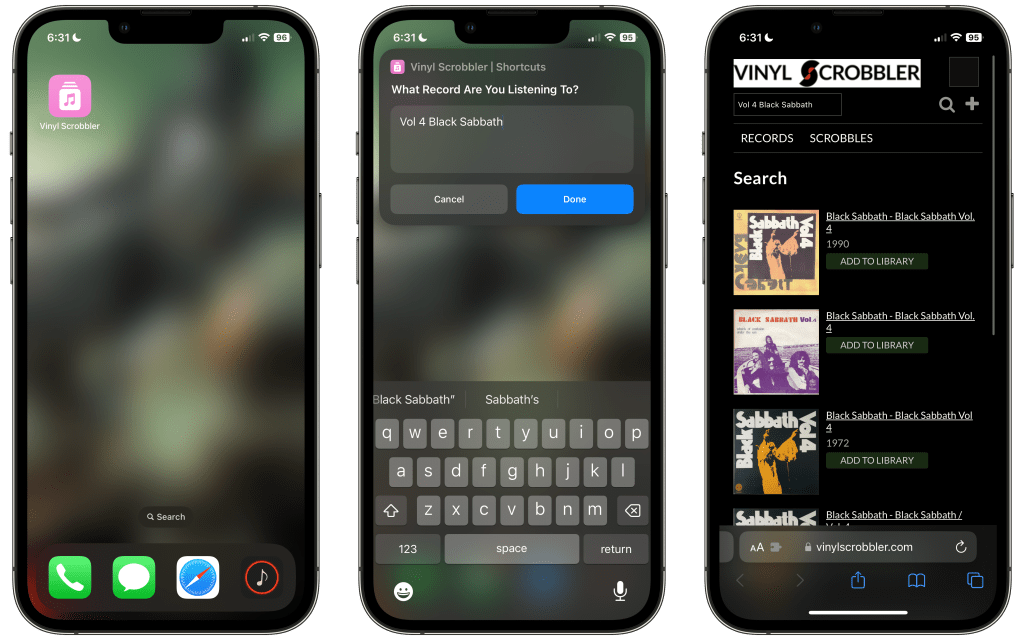
This is a really straight forward shortcut with just one setup question: What’s your Vinyl Scrobbler username?
After the shortcut is setup, just go ahead and launch it via your preferred method to be greeted with a text input box. If you’re scrobbling a record that you haven’t scrobbled via Vinyl Scrobbler before, go ahead and search for it using the text box. But if you’re scrobbling something that you have logged through the service before, just hit done to be taken directly to your collection page! That’s all there is to it.
I’m still looking for a great way to log my vinyl collection on my Apple devices, but I will say that Vinyl Scrobbler is also a nice stopgap for that, as the record’s page has a drop down box where you can choose which version of the record you own. Expect more vinyl related posts from me in the future. In the meantime, here’s the link so that you can download Vinyl Scrobbler!

 Dan Stransky
One thought on “This Shortcut Makes Using Vinyl Scrobbler a Dream”