A few days ago, I was scrolling though Mastodon when I happened upon the following toot from Matt Birchler:
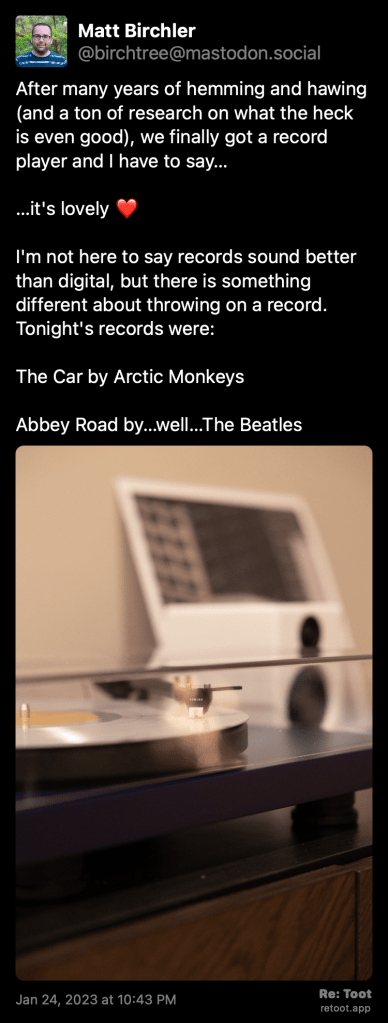
For those wondering, I lasted a day before I went to our record storage area and pulled out my favorites to listen to on my record player. Just in that first day, I threw on Dark Side of the Moon, a Ghostbusters 10″, and a few others. Earlier today, was out and decided to pick up a vinyl copy of Chvrches Screen Violence, which is playing in the background as I write this.
Seeing Matt post about that reminded me that it had been a while since I’d listened to any of my records and the second the needle hit the vinyl I remembered just how warm and fuzzy listening to analog media can make you feel. I’m a sucker for the convenience of being able to ask my phone to play any song I want and hearing it come out of the speaker in mere seconds, but sometimes the joy of listening to an album can be great.
There’s just one problem: I have systems in place to make sure whatever I listen to is scribbled to my Last.fm profile. With vinyl, there’s no way to have the music automatically sent to the cloud. But I did find a few ways. The following is in no way a comprehensive guide, but rather a few tools that I came along that can aid in scrobbling whatever you have spinning.
Open Scrobbler

Open Scrobbler was the first tool I went to when I needed to scrobble my listening of Dark Side of the Moon. Open Scrobbler is fairly straight forward: you’re immediately greeted with a page that will let you either manually scrobble something, search albums, or interestingly (and creepily) enough: another user’s last.fm page. Generally when I use the service I just search for albums and it hasn’t let me down.
Vinyl Scrobbler

Vinyl Scrobbler has you create an account and adds records you scrobble to your collection so that you can re-scrobble them easier at a later date. It also has you set the time that you started listening and will show Now Playing on your profile, which is pretty cool if you like that kind of thing.
Finale for Last.FM
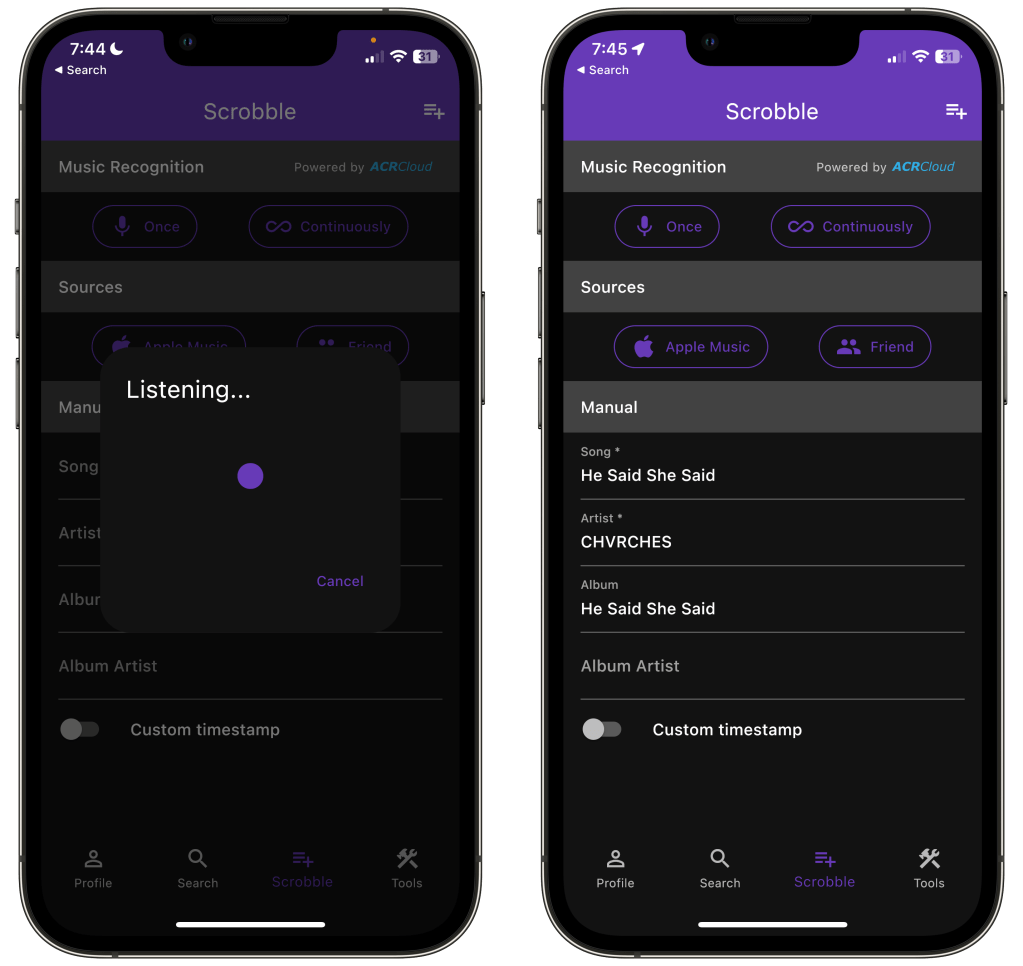
Finale for Last.fm does offer a way to scrobble what you’re listening to, either manually or through music recognition, though I do hesitate to recommend this method to anyone. Manually is fine if you’re listening to one song that you quickly want to log, but no one is going to take the time to manually scrobble an entire album. On the music recognition side, I found it to be quite hit or miss. If it could get a match to a song, it would often get the song and artist right, but mess up when it came to album title. Or it would fail and just not recognize at all. There’s a continuous listen mode that will sit and listen every minute or so for songs playing, but I found the inaccuracies to make using that mode not even worth it.
Marvis Pro
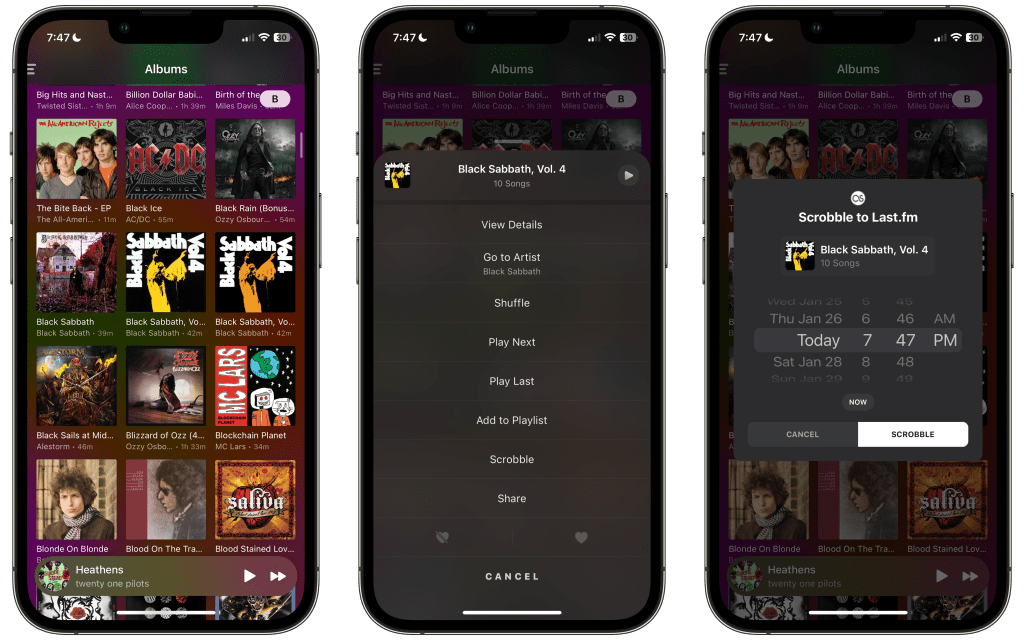
Lastly, we have one of my favorite Apple Music clients: Marvis Pro. In Marvis, if you long press on an album, you can select Scrobble from the menu that pops up. It’ll have you set a time and then scrobble all the songs for you. This can be super convenient if you have the record you’re listening to in your Apple Music library for easy access.
That wraps it up for some scrobbling methods for when you’re listening to vinyl. Do you have a method you use that I didn’t cover in this article? Let me know about it down in the comments below!

 Dan Stransky
2 thoughts on “The Joy of Vinyl and a Few Ways to Scrobble It”