I love Apple Music. I’ve been a subscriber of the service for most of the time that it has existed, with the sole exception being a brief period while I was on Android and wanted to take advantage of the now defunct Google Play Music. One thing I’ve recently started to love about Apple Music is that Apple has made it easy for developers to build third party apps that tap right into the service. While I still do go into the stock music app at some point throughout my day, almost every day, the primary way I’ve been interfacing with the service on my iPhone and iPad has been via an app called Marvis Pro.
At its core, Marvis is highly customizable Apple Music client that anyone serious about the music they listen to should have in their tool belt. While I could spend all day going over all the features of the app, I’m going to instead point you to this piece by Marc Barrowclift.
You may be wondering whey I’m doing a write up on Marvis Pro if I’m not planning write about all of the app’s core features. It’s because there was a single line in a recent update that had me so excited and giddy, I couldn’t keep it to myself. I had to share it with the world. The line in question, you may ask, is this:
You can now tap the disc groupings inside an album for playback actions for the selected disc.
My music tastes go all across the board. I have a playlist I regularly listen to full of pop hits, another of country music I like, and yet a third full of songs that were TV show themes. In addition, I’m a huge fan of rock and metal. The first concert I ever went to was Metallica’s two-day OrionFest in Atlantic City way back in 2012. The first metal song to ever resonate with me was King of Kings by Motörhead, the final track on WWE Wreckless Intent. So when I say my taste is very varied, you can see that’s not a joke.
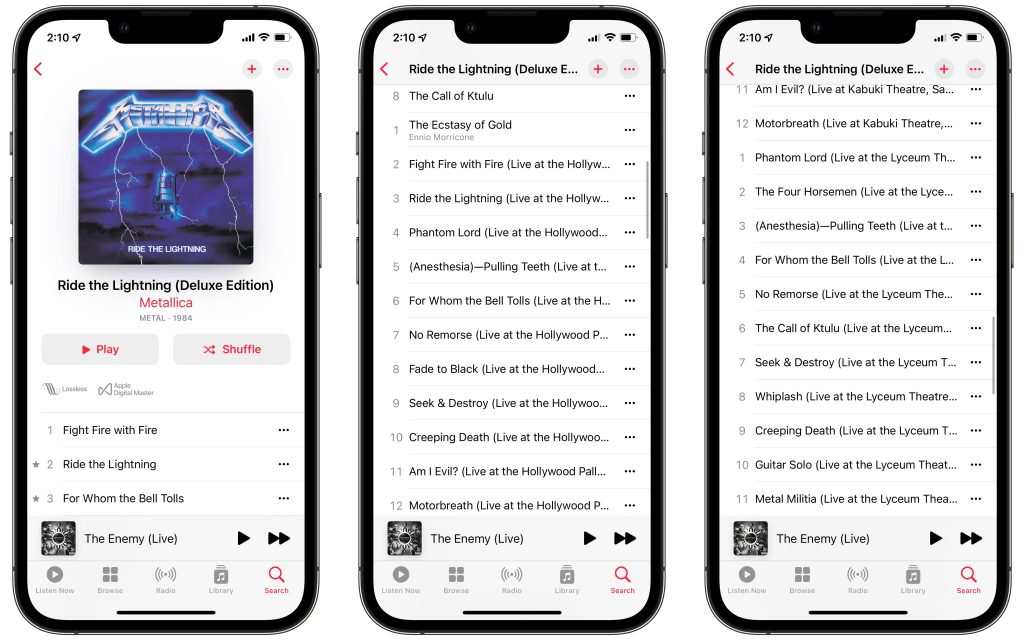
When it comes to rock and metal, you tend to get a lot of super Uber deluxe editions of albums from iconic bands. The ones that triggered my desire for this feature are Metallica’s various box sets, that usually have the full album, some demos, and a handful of classic concerts. The point is, there’s a lot to listen to. For all the things I think Apple Music does fairly well, handling multi-disc albums isn’t one of them.
As you can see in the screenshot above, Apple Music doesn’t particularly care to break down the first disc from the second disc, and so on. The best they give you is occasionally restarting the track count from 1. Now I don’t know your current situation, you may have 15 hours to sit down and listen to the latest release of The Black Album in its entirety, but most of us don’t. That particular release is a 14 disc set. Using the stock tools available to you, trying to listen to just disc 6 (which is rehearsals and radio edits) is an exercise in futility. There is no way, that I have found, to tell Apple Music to just play tracks in a certain range. The best you can do is pick your starting point and manually clear out the rest of your queue. Again, this is just disc 6 of a 14 disc set.
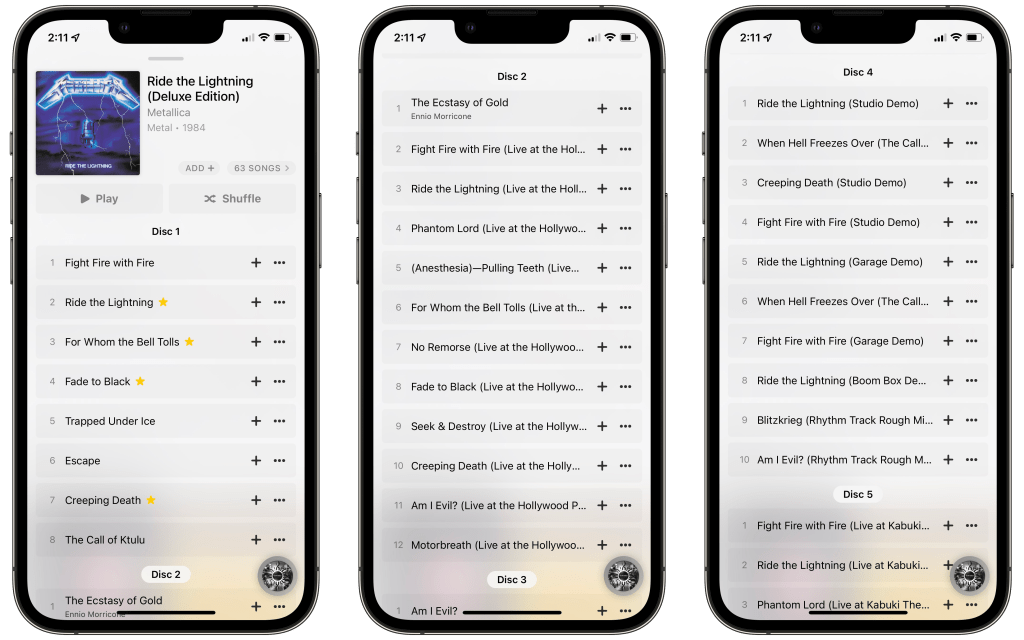
With the latest update to Marvis, when you press on the disc 6 header it will give you options to play or shuffle just that disc. While I wasn’t publicly asking for this feature from the app, the fact that the developer added it in makes me ecstatic. If you’re someone who likes to listen to individual discs of expanded and deluxe edition albums, Marvis Pro is the app for you.
Marvis Pro is available on the App Store for $6.99.

 Dan Stransky
One thought on “‘Marvis Pro’ Makes Listening to Multi-Disc Albums a Dream Come True”