When it comes to working with text these days, my go-to solution is always the app Drafts. After first learning about the app from several of MacSparky’s podcasts, I decided to check it out. After using the free version for a while, I decided to get the subscription to unlock the full power of the app. That being said, I’m not here to tell you about everything the app can do — there’s already fantastic articles about that. Instead, I want to highlight a feature that was just recently added to the Drafts ecosystem: Drafts Capture.
What Drafts developer Greg Pierce has come up with is so simple, yet so ingenious. By navigating to http://capture.getdrafts.com, you’re presented with a webpage that uses Sign-in with Apple to log you in and essentially hook into your copy of Drafts, just deep enough to create files. Once you’re in, you’re presented with what Drafts is best-known for: a blank space where you can start writing. The options on this page are limited to flagging a draft, tagging it, writing it, changing the syntax, adding a location, and then clearing or saving. You’re not able to access any of your existing drafts or workspaces, but that’s ok.
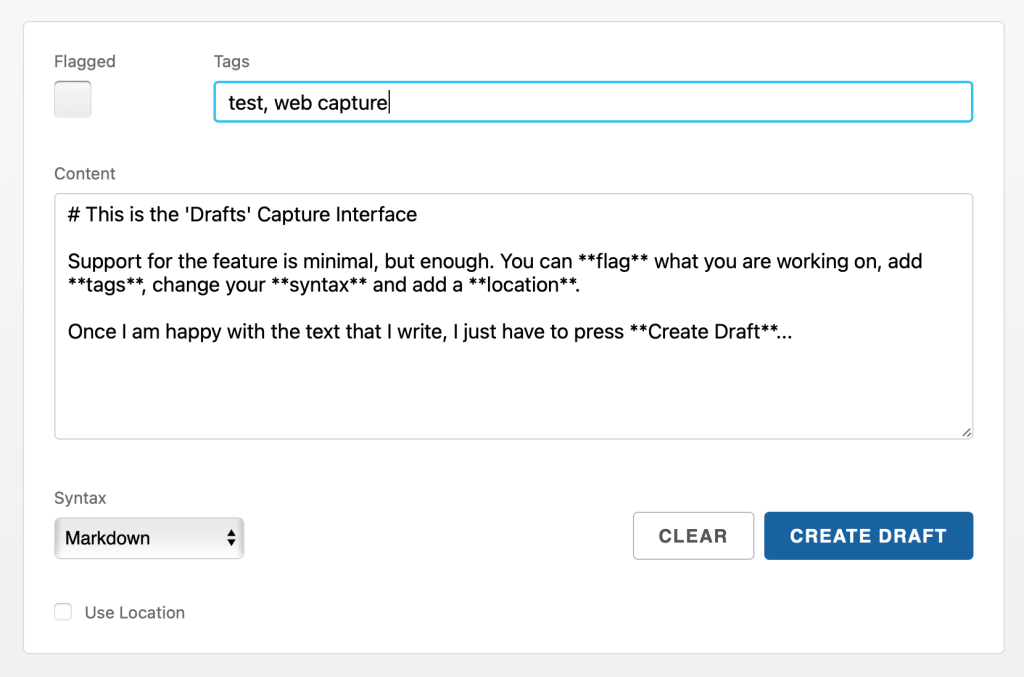
This feature isn’t intended to be a replacement for the iPhone, iPad, and Mac apps; it’s meant to supplement them. I consider myself to be one of the people who is positively impacted by this feature.
Here’s the thing: in my day-to-day life, I use Apple products as my daily drivers. Any Windows machines in my home exist solely for the purpose of playing PC games — outside of the occasional need to capture a screenshot for That Jersey Gamer, I don’t do any of my blogging work on them. At my day job (and I use that term loosely as I work mainly nights), the only machines I’m provided are Windows machines. We don’t have Macs in our workflow at all. So while I do still generally write my emails in Drafts, I find that I have to intentionally sit down and do that — I can’t just have the program open in the background while I’m working and add to my shift email as needed. Fortunately with Drafts Capture, I now have a way to at least start that email on a Windows machine, even if it’s still getting finished from my phone, tablet, or laptop.
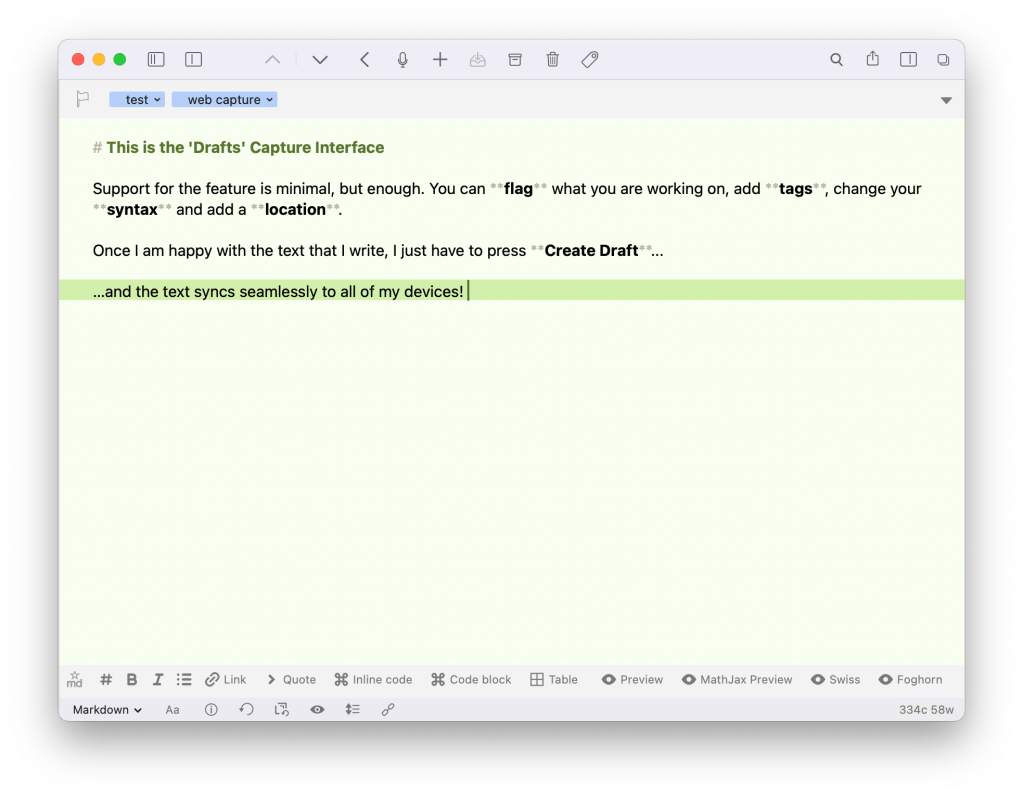
I don’t think we’ll ever see a full web app for Drafts either. While I do want everyone to get to experience how great this app is at least once, if you don’t have an Apple device, it’s a no-go. Being able to capture to Drafts in a web browser is still a great addition to the app, though.
Have you had a chance to try out Drafts web capture yet? If you have, what do you think? Sound off down in the comments below!

 Dan Stransky